A missed appointment isn’t usually a big decision. It’s a small one — a reminder that got buried, a booking link that took too long to find, a phone that was too full to bother with another tab.
But the small decisions are the ones that add up. And we’d rather remove the friction than leave your standard to chance.
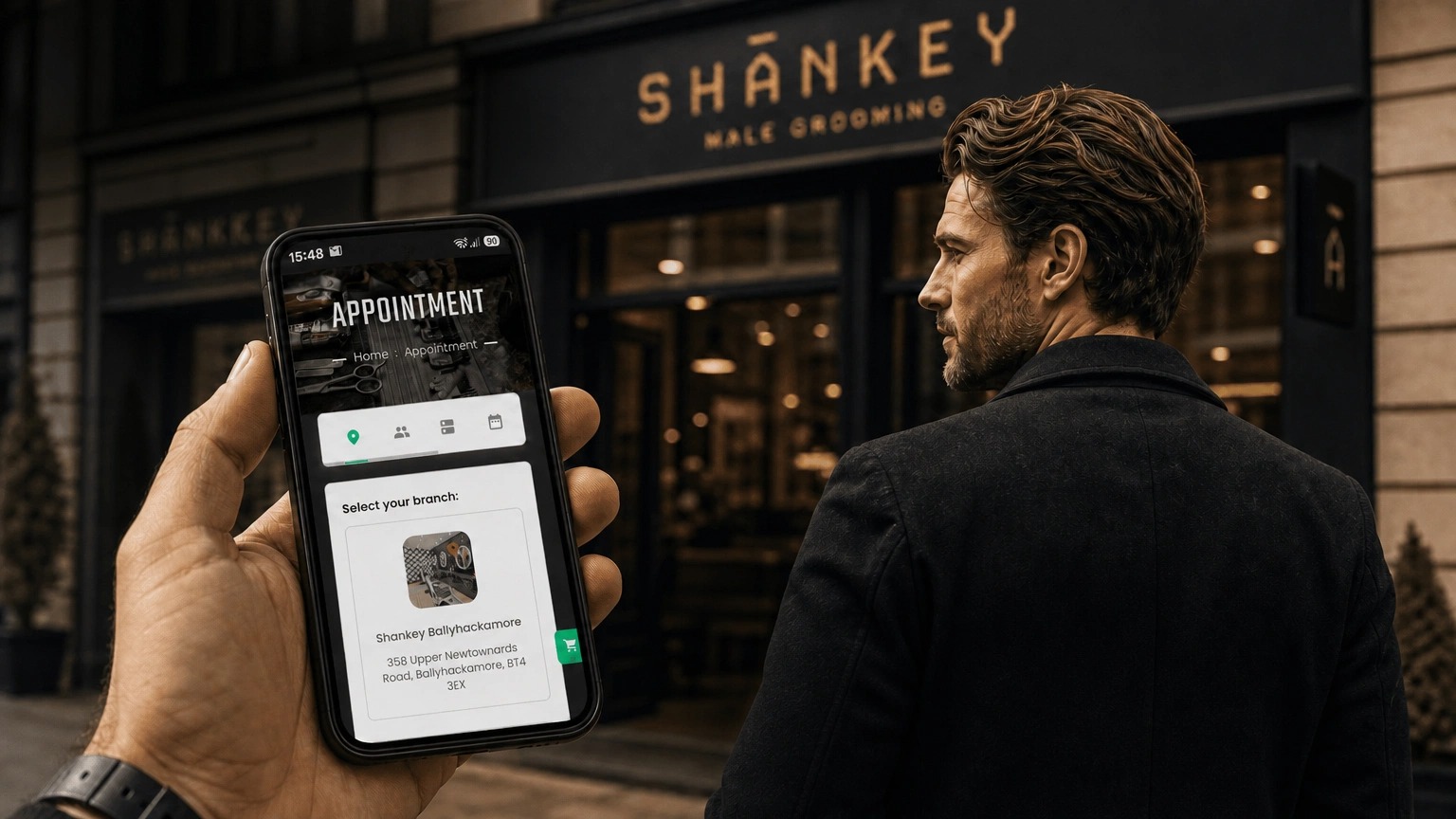
That’s what the Shankey app is for. Book your next visit, get your reminders, and stay on top of the standard you’ve already decided to hold yourself to — all from your home screen, no digging required.
Getting it on your phone takes less time than reading this post.
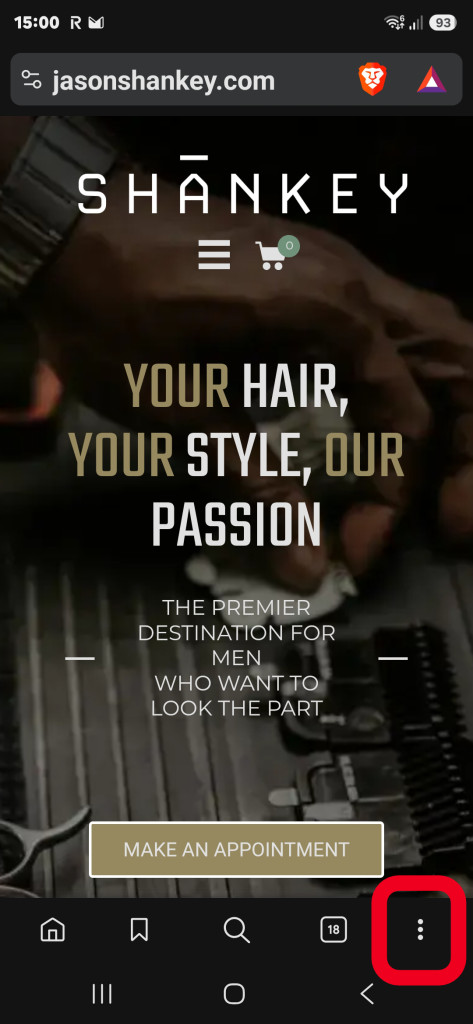
Step 1: Visit jasonshankey.com and tap the three dots to open your browser settings.
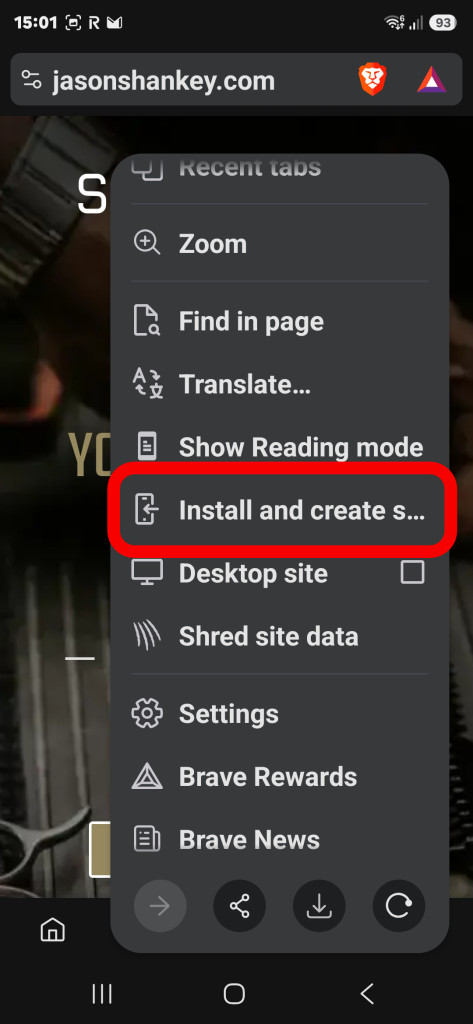
Step 2: Tap “Install” or “Add to Home Screen.”
Step 3: The Shankey icon is now on your device. Tap it to open the app.

Can’t find it? Search your apps for “Shankey.”
That’s it. No app store, no password to remember, no excuse next time a booking slips your mind.

The UK’s leading male grooming expert and creator of the Jason Shankey range of hair and skincare products, Jason Shankey also developed the first luxury, all services modern men’s only concept grooming salon in Europe, back in 1997. From extensive appearances as an expert on TV shows such as 10 Years Younger, The Apprentice, Celebrity Scissorhands, The Vanessa Show, LK Today, GMTV and dozens more, to consulting with giants including Gillette, Braun and the Honda Formula 1 team, Jason’s 30+ years of expertise in the male grooming business has positioned him as a true pioneer in the industry. His salons became synonymous with high-end grooming services, offering everything from haircuts and skincare to massage and grooming advice tailored specifically for men. Jason’s innovative approach to male grooming not only redefined the standards but also paved the way for the booming men’s grooming market seen today.
In addition to his work in salons and on television, Jason has designed and developed quality men’s grooming products and penned numerous articles on men’s grooming, sharing his expertise with a wider audience. His brand, the Jason Shankey range, continues to reflect his passion for quality and innovation, offering a curated selection of products designed to meet the modern man’s grooming needs.
Jason remains a sought-after consultant and public speaker, regularly sharing insights into the future of male grooming, wellness, and self-care. With over three decades of experience, he continues to lead the conversation around men’s grooming, setting trends and standards that others follow.